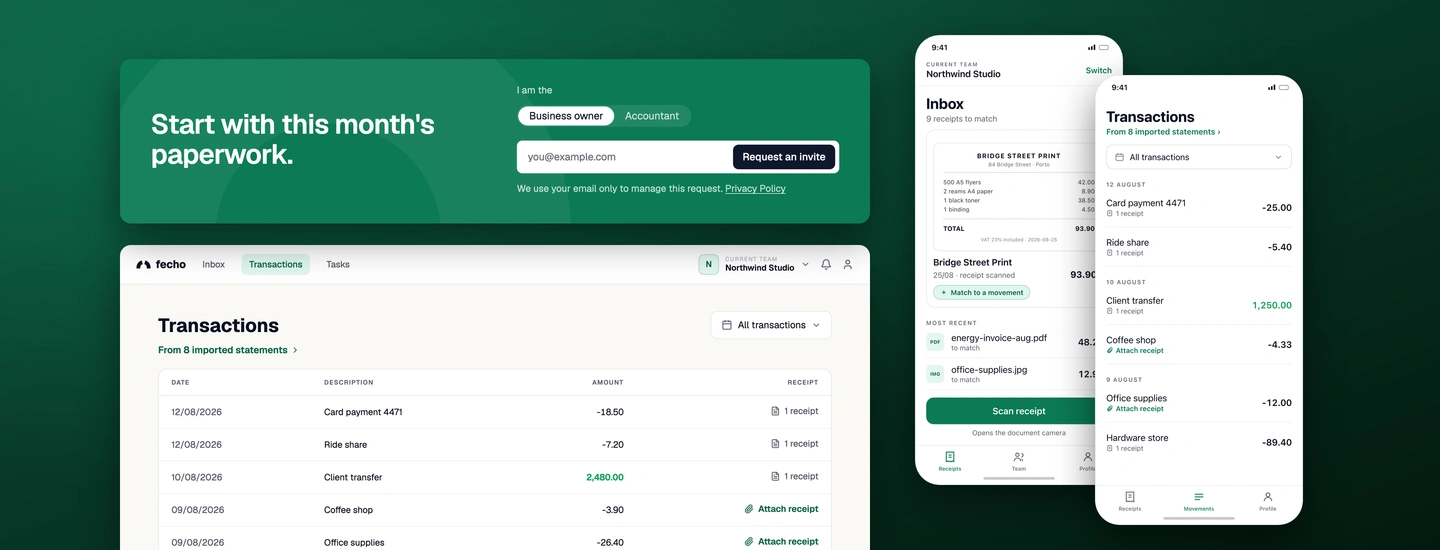
Captures the evidence, imports the records
- Photographs or forwards receipts as they arrive
- Imports bank statements and resolves the matches
Manages the workspace and its integrations

Fecho puts a small business's invoices, bank statements and Social Security notices in one place, ready for the accountant. Soon to be in production with pilot users, so this case study is about how the work is made and how we approach the design process.
Current team
Northwind Studio
Inbox
9 receipts to match
Most recent
Opens the document camera
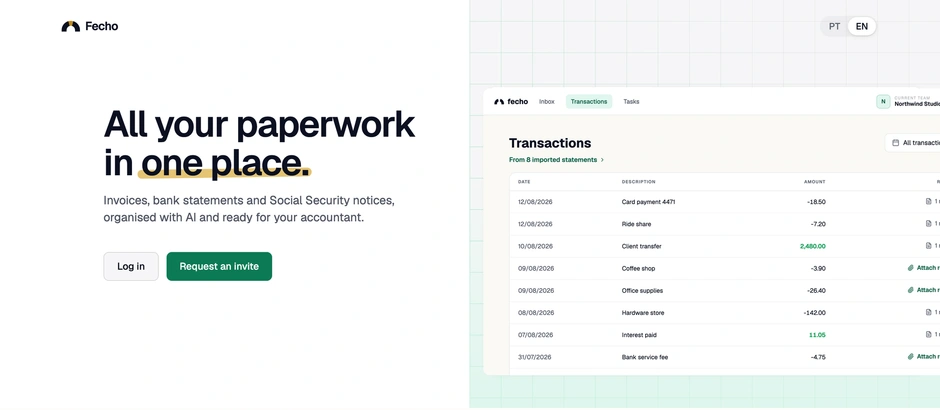
Fecho is not merely a product to add files to. A statement becomes movements, and users can upload a receipt using their phone camera or via email and match it to the transaction it belongs to. The original idea started with two core personas:
Captures the evidence, imports the records
Manages the workspace and its integrations
Reviews the records against the evidence
Eventually exports accounting-ready data
Before establishing a specific process for the design field, the main goal was to run a UX audit with low bias, to understand product requirements, user flows and friction points that needed fixing. A couple of issues stood out:
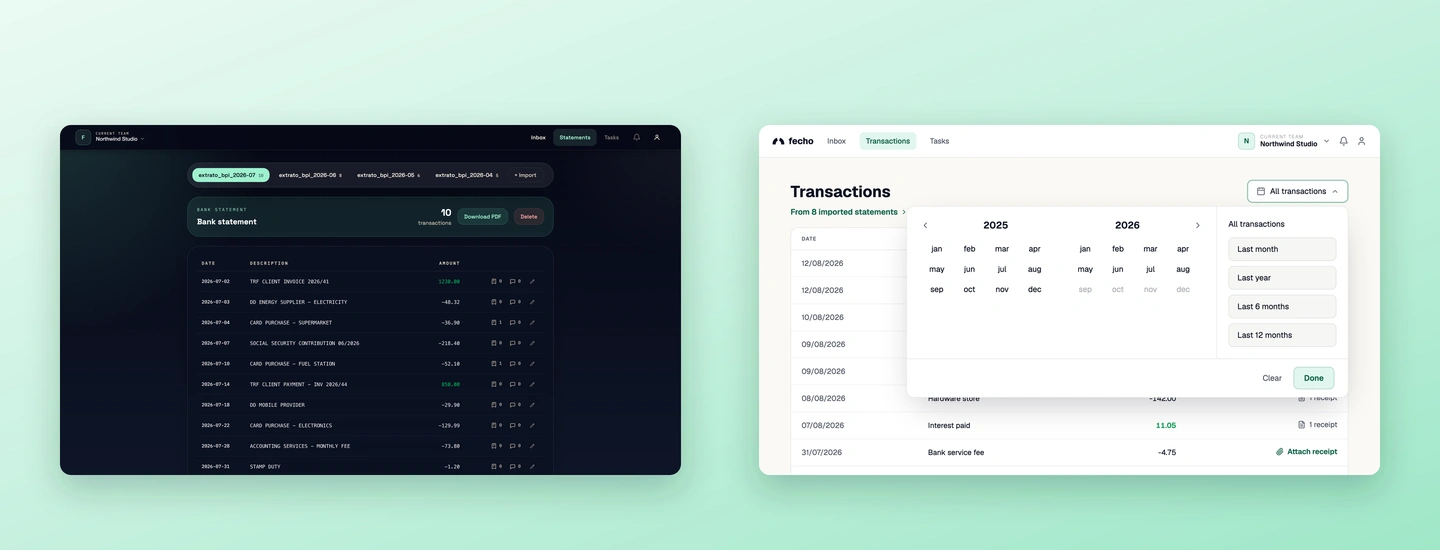
Wrong control class
Tabs are for navigation, but here they were filtering time - so a filter looked like a place to go.
It grew every month
One tab per month meant the control kept growing with every statement imported.
Lineage invisible
Nothing told users the rows came from a statement someone uploaded.
Extends in place
Month presets needed room to grow into a date range without breaking the layout.
The control sits above the table, styled like navigation, one tab per statement imported.
The range joins the other controls in the toolbar, and a line above the list names where the rows came from.
The range became a filter in the toolbar, and the flow followed through: the movements at the first level, and the statements behind them. The change was made by trial and error, via prompting against the running product, rather than fully designed in Figma first.
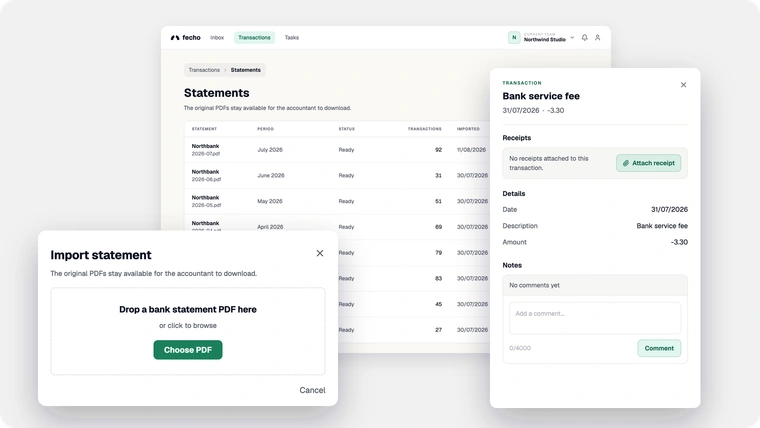
Behind login sits one workspace. Three ways in - a scan, a forwarded email, a dropped statement - and every route converges on the transaction detail, where the receipt is attached, the note is left and corrections are discussed. What leaves is the source statement, downloadable by month.
A statement arrives as a dropped PDF, and behind the movements sits the second level the audit asked for. Forward, every movement has one destination: the receipt is attached there, and the note is left there.
Receipts are photographed where they are handed over, not at a desk. The iOS companion makes the PDF on the device and sends it to the same inbox the web app reads.
Current team
Northwind Studio
Inbox
9 receipts to match
Most recent
Opens the document camera
BRIDGE STREET PRINT
84 Bridge Street · Porto
500 A5 flyers42.00
2 reams A4 paper8.90
1 black toner38.50
1 binding4.50
TOTAL93.90
VAT 23% included · 2026-08-25
Creating the PDF…
Current team
Northwind Studio
Inbox
9 receipts to match
BRIDGE STREET PRINT
84 Bridge Street · Porto
500 A5 flyers42.00
2 reams A4 paper8.90
1 black toner38.50
1 binding4.50
TOTAL93.90
VAT 23% included · 2026-08-25
Bridge Street Print
Most recent
By taking a look at the project and business needs, it was easy to tell traditional Figma design screens would delay us and create unnecessary constraints to the workflow engineering had. So it was time to test an AI-native workflow, where screens are assembled directly from the design system in the branch and reviewed running. A proof of concept in hours rather than days.
Concepts
Still explored on the canvas.
 Figma
Figma
Design system
Storybook holds the foundations, components and patterns every screen is built from.
 Storybook
Prompt
A screen described against the design system, not drawn beside it, then assembled by the agent.
 Claude Code
Branch and PR
The change travels as ordinary product history: a design branch and a pull request to review.
 GitHub
Staging
Reviewed running in the real components, judged next to its neighbours, not in isolation.
 Staging
The design system is a package both the web app and the marketing site import, and Storybook renders those same components - so it is where the system is seen and approved, not a gallery beside the product. Three layers, and a fix belongs at the lowest one that can carry it: a token before a component, a component before a screen. Screens themselves are the final stage, and they live in the product - assembled from these layers in the branch, not drawn in the design system.
Foundations
The decisions every other layer reads: colour, type, spacing, radius. A value is defined here once, or it does not exist.
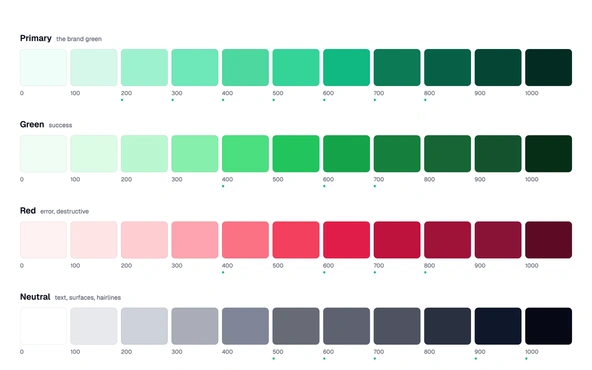
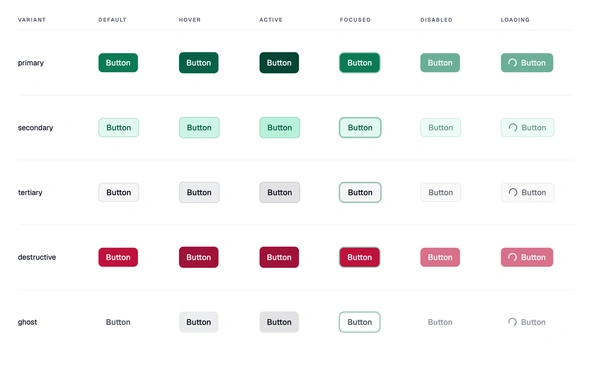
Components
The things you place. One element with all of its states - it knows how it looks and behaves, and nothing about where it is used.
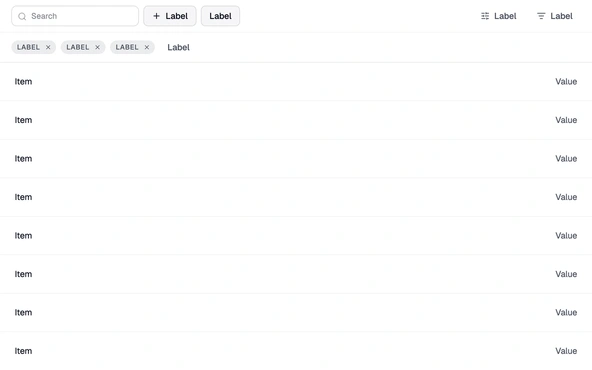
Patterns
Recurring arrangements of components, like the table toolbar. The arrangement is what is designed.
The rules are built into the GitHub repo through a skill called design-assistant. What started as a set of guidelines evolved into the foundations of our design methodology. It is one of eight charters in the repository, one per job on a company of two, and changing how a job gets done is a pull request.
skills/
design-assistant/SKILL.md
standup/SKILL.md
ops/SKILL.md
cfo/SKILL.md
legal/SKILL.md
marketing/SKILL.md
Fecho is soon to be in production. The pilot will be with business owners, and what they report is what allows a team of two - design and engineering - to keep iterating around product and business requirements. User stories are also described and centralised in the repo so everyone can access them. We run the QA.